How My Catholic Team Works
Everything you need to know about finding your parish, joining a group, and putting your ministry tools to work.
⚡ Getting Started in 4 Steps
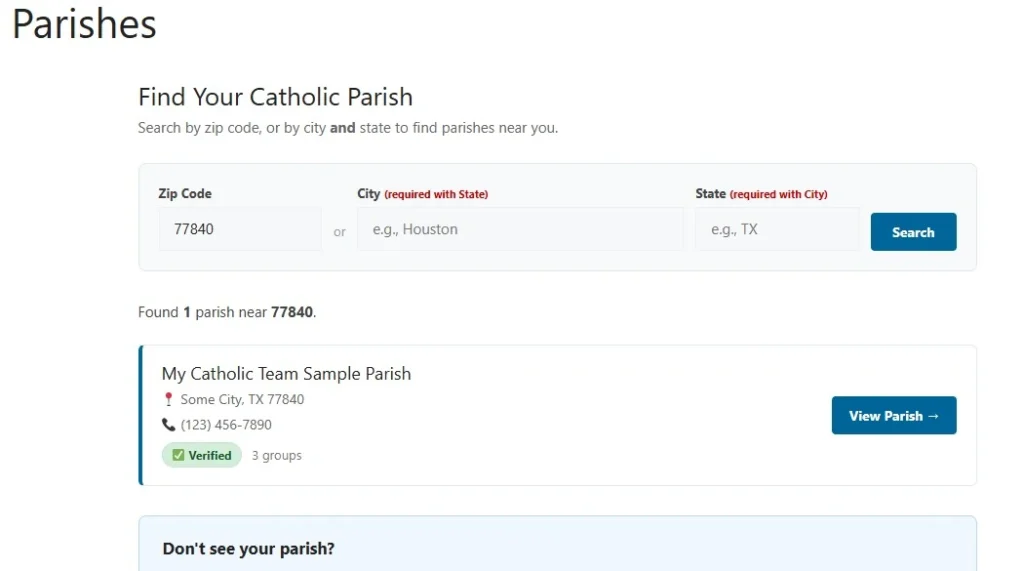
Find Your Parish
Search the parish directory by zip code or city and state. If your parish isn’t listed yet, you can add it in seconds using Google Maps — just search, confirm the details, and submit. New parishes are reviewed and verified before groups can be created for them.
Create a Free Account
Register with your name and email. Your account is free and lets you join groups, participate in discussions, sign up for volunteer lists, and access your personal dashboard across all your groups.
Verify Your Parish Connection (Leaders)
If you’re a pastor, deacon, director, or staff member, verify your connection to your parish using your parish email. Once verified, you can create groups and manage your ministry team. Verification keeps the directory trustworthy and secure.
Join or Create a Group
Browse the groups at your parish and request to join any that match your ministry. Leaders approve requests. Verified users can also create new groups for their charity, mission, or outreach team — you’re automatically added as the group Leader.
👀 See It In Action
Reading about it only goes so far. Browse a live sample group — real discussions, events, sign-up lists, and files, just like your team would use — no account required.
Preview a Sample Group No login needed — just a look around.🤝 Who Is It For?
💬 Announcements & Discussions
📣 Announcements Board
Leaders and Coordinators post official notices — meeting changes, urgent updates, important reminders. All members see them immediately.
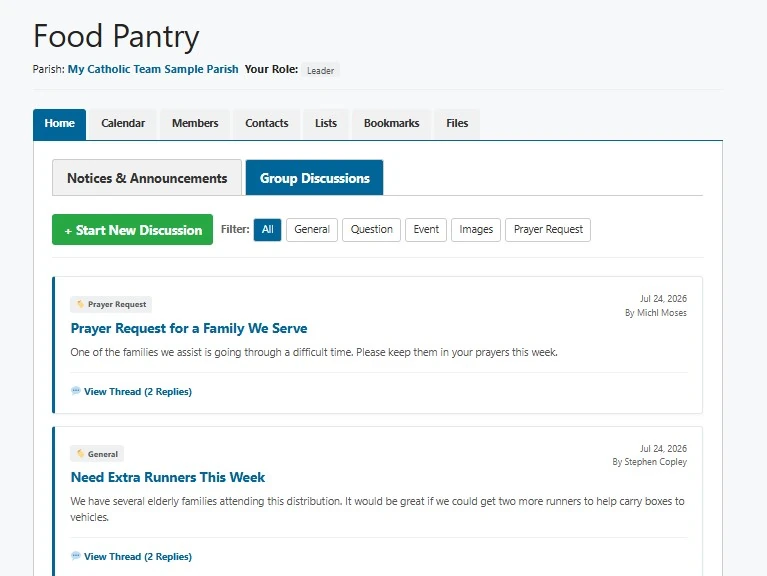
💬 Group Discussions
Any member can start a thread, reply, and attach files. Tag posts as General, Question, Event, Images, or Prayer Request for easy filtering.
📎 File Attachments
Attach flyers, sign-up sheets, agendas, or photos directly to discussions and announcements. Files are stored securely in the cloud.
📅 Event Coordination
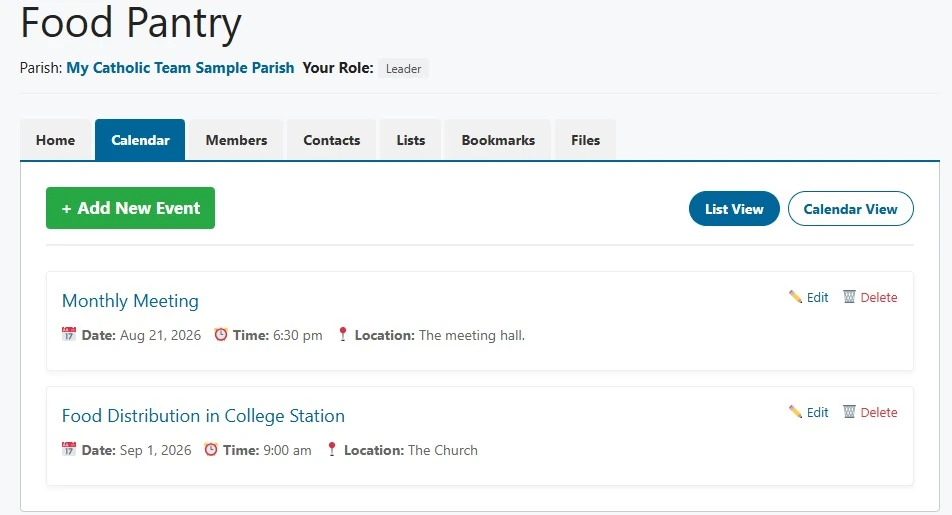
Group Calendar
Leaders create events with title, date range, time, location, and description. View as a list or monthly calendar grid on desktop.
What You Can Schedule
Volunteer days, donation drives, mission trips, packing events, outreach schedules, formation nights, and any parish service project.
Attached Resources
Link documents, maps, instructions, or sign-up sheets directly to calendar events so everything is in one place.
🧺 Sign-Up Lists
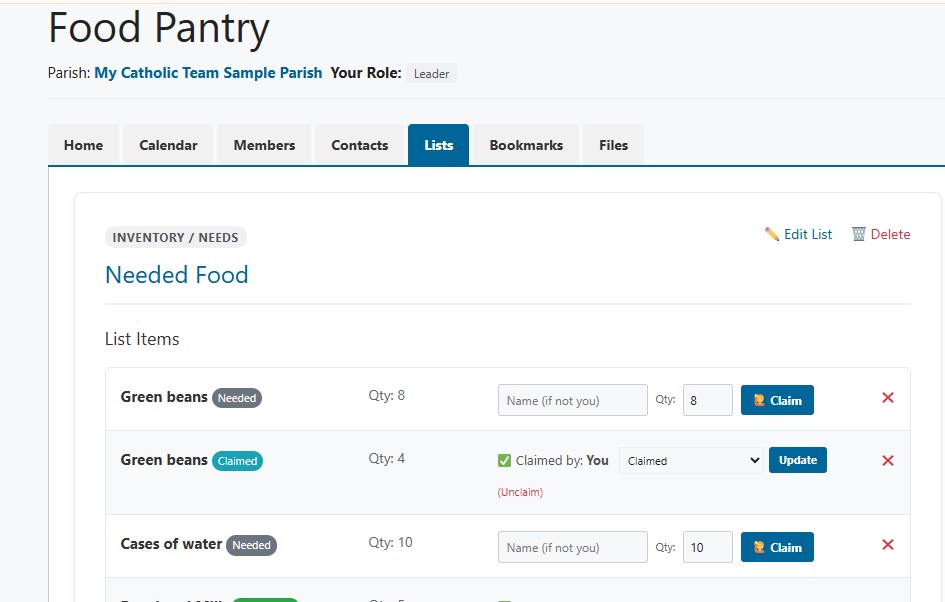
Create Any Kind of List
Food items for a pantry drive, volunteer roles, transportation slots, setup and cleanup tasks, mission trip supplies — anything your group needs organized.
Members Claim Items
Anyone in the group can claim items from a list. Leaders see at a glance what’s covered and what still needs someone to step up.
📁 Shared File Library
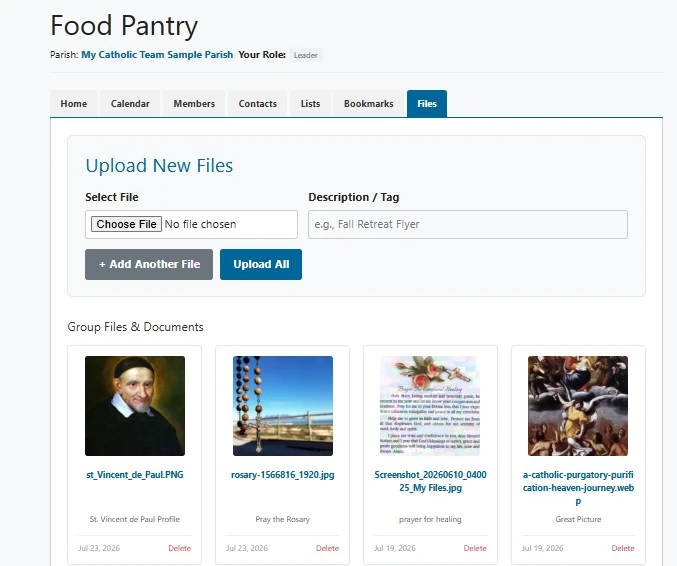
Secure Cloud Storage
Files are stored securely in Google Cloud Storage with time-limited links.
What to Store
Training materials, outreach guides, diocesan resources, forms, flyers, photos, partner documents, and anything your team references regularly.
Image Thumbnails
Uploaded images are automatically resized and thumbnailed so the library stays fast and easy to browse.
📇 Contacts Directory
Parish Staff
Keep a directory of priests, deacons, and parish employees relevant to your group — with roles, contact info, and privacy controls.
External Contacts
Track vendors, diocese contacts, community partners, and organizations your ministry works with — all in one searchable place.
👤 Group Roles & Permissions
| Role | Who They Are | What They Can Do |
|---|---|---|
| Leader | Pastor, director, ministry head, group founder | Full control — manage members, post announcements, create events, approve join requests, manage all content |
| Coordinator | Assistant director, committee chair, volunteer coordinator | All content management — same as Leader except cannot remove other Leaders |
| Member | Volunteers, participants, group members | View all tabs, post discussions, upload files, claim list items, view contacts and calendar |
🔒 Privacy & Security
Private by Default
All group content — discussions, files, calendars, contacts, lists — is only visible to approved group members. Non-members see a public description and a join button, nothing more.
Contact Privacy Controls
Every member controls who can see their email and phone — everyone, staff and leaders only, or hidden completely.
Encrypted, Secure Storage
Files live in Google Cloud Storage behind time-limited secure links — nothing is publicly guessable or permanently exposed.
Verified Parishes
Parish verification ensures that only legitimate, connected people can create groups — keeping the directory trustworthy for everyone.
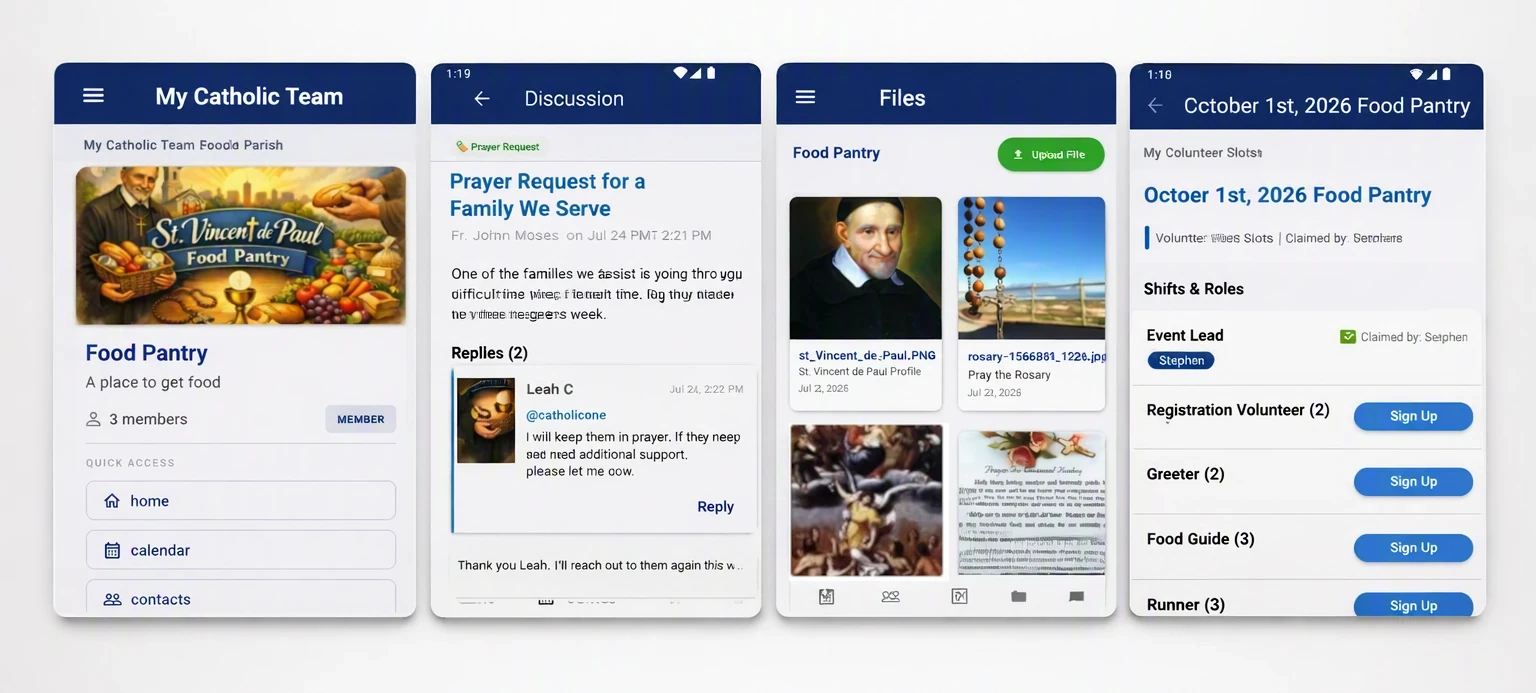
📱 Mobile App Coming Soon
A full companion app for iOS and Android is in development — bringing groups, discussions, events, lists, and files directly to your phone.
Ready to get your ministry organized?
Find your parish, verify your connection, and get your team set up — it’s free.